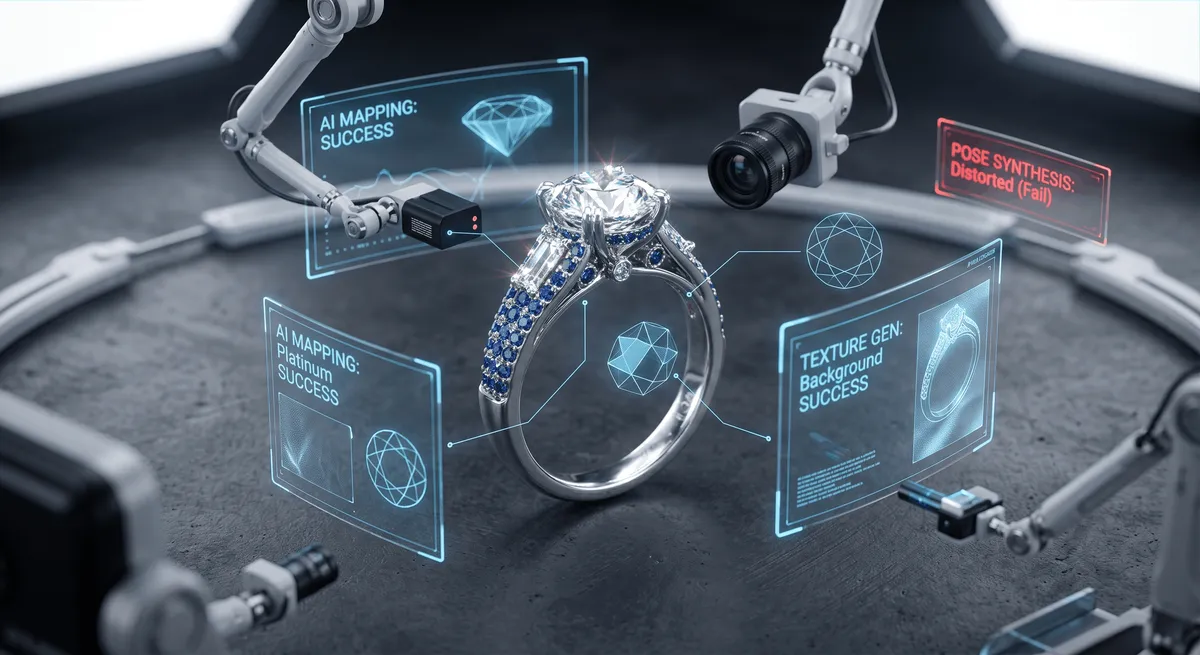
AI jewelry photography went from novelty to industry standard almost overnight. By 2026 the majority of online jewelry brands use AI in some part of their image workflow, drawn by costs that have collapsed and tools that generate backgrounds, variants, and even on-model shots in seconds. The honest question is no longer “should I use AI?” It is “where does AI actually help, and where will it quietly cost me sales?” This guide answers both, without the hype you will find on the tool vendors’ own blogs.
Key takeaways
- AI is genuinely excellent at backgrounds, variants, and lifestyle mockups - and near-useless for faithfully capturing sparkle, reflections, and true gemstone color.
- Your hero image should almost always be a real photo; AI is best for extending a small set of accurate shots, not replacing them.
- Marketplaces require the main image to represent the actual product - AI that invents detail drives returns and can breach policy.
- The winning 2026 workflow is hybrid: shoot a few honest real photos, then use AI for scale, context, and volume.
What “AI jewelry photography” actually means
The term covers four very different jobs, and lumping them together is where sellers go wrong:
Background generation and cleanup
Replacing or generating the backdrop behind a real product shot - clean white, gradients, marble, or styled scenes. The most mature and reliable use of AI.
On-model and virtual try-on
Generating a model wearing your piece from a flat lay or single product shot, so a ring or necklace appears on a hand or neck without a photoshoot.
Enhancement and retouching
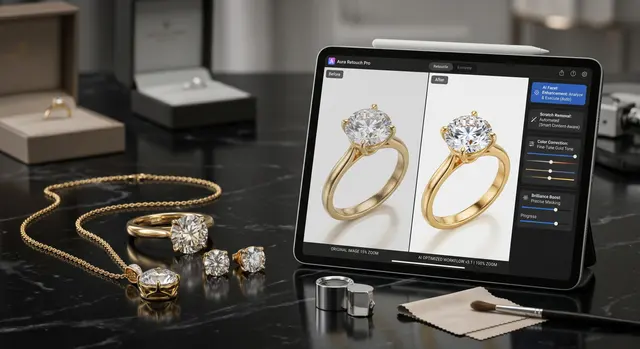
AI-assisted dust removal, reflection evening, and color correction on a real photo. This overlaps with a normal editing workflow.
Full image generation
Creating the entire product image from a text prompt or reference, with no real photo underneath. The riskiest for jewelry, because the “product” is partly invented.
The first three are tools that assist a real photo. The fourth replaces it - and that is where accuracy, and trust, break down.
Where AI genuinely works well
Give AI the jobs it is good at and it earns its place fast.
Backgrounds and scenes. Dropping a cleanly-shot piece onto pure white, a soft gradient, or a styled marble surface is where AI shines. It is faster than building sets, consistent across a catalog, and cheap. If you already have a sharp, well-lit product shot, AI backgrounds are a legitimate, low-risk win. See our backgrounds guide for choosing the look.
Lifestyle and scale context. Buyers’ biggest unspoken questions are “how big is it?” and “how does it sit?” AI on-model and virtual try-on images answer those instantly, and they are strong as secondary images that add context and confidence.
Volume and variants. Need the same ring on five backgrounds, or a whole collection styled consistently for social? AI produces variants at a scale and speed real shooting cannot match - ideal for feeding the multi-format content that platforms reward.
Cost. Per image, AI is a fraction of a shoot. For a new seller with fifty SKUs and no budget, AI backgrounds on top of a handful of real photos is a rational starting point.
Where AI still fails for jewelry
Jewelry is the hardest possible subject for generative AI, for the same reasons it is hard for a camera - only worse, because AI is guessing.
- Sparkle and fire. A diamond’s brilliance comes from real light entering and bouncing back through precise facets. AI approximates it and gets the geometry subtly wrong; trained eyes and serious buyers notice immediately.
- Reflections on metal. Polished gold and silver mirror their surroundings. AI invents plausible-but-fake reflections that do not match the actual piece.
- True color. Gemstone color is a purchase-deciding detail and a returns landmine. AI shifts hues, and a sapphire that photographs a shade too blue becomes a refund. Get color right in camera instead - see the white balance guide.
- Fine detail. Hallmarks, engraving, prong seams, and thin chain links are exactly where AI smears or fabricates. Our AI retouching guide covers how much a human still has to fix.
- Scale and anatomy. On-model AI frequently warps hands, ears, and the piece itself - or renders a ring at the wrong size, which is worse than no lifestyle shot at all.
AI vs real photography: which converts
For the main image, real photography still converts better and keeps you compliant. Amazon, Etsy, and most marketplaces require the primary image to show the actual product on a clean background - an invented image can breach policy and, more practically, sets an expectation the shipped item cannot meet. Returns triggered by “it looked different online” are expensive and tank your ratings.
Where AI lifts conversion is in the secondary slots: lifestyle context, on-model scale, and consistent variety across a listing. Data from 2026 shows top jewelry sellers use multiple image styles per listing - and AI is a cheap way to fill those slots once your accurate hero image is in place.
The workflow that actually wins in 2026
Do not think “AI or real.” Think “real hero, AI everywhere else.”
- Capture a real, accurate base. A sharp, color-true product shot on a plain background. Even a phone plus a light box does this well - see the iPhone guide and lighting guide.
- Use AI for backgrounds and scenes. Swap the plain backdrop for whatever suits the brand, keeping the real piece intact.
- Add AI lifestyle and on-model as secondary images. For scale and context - clearly supporting, never the main image, and always checked for warping.
- Keep the hero honest. The primary image stays a faithful photo of the actual item.
When to hire a real photographer
If you sell high-value pieces - fine diamonds, colored stones, watches, luxury metal - the fire, color, and finish are the product, and AI cannot fake them convincingly at that tier. The cost of one great real shoot is trivial next to a returned engagement ring. When the stakes are high, or you simply want it done right, browse our directory of jewelry photographers and see typical pricing before you book.
AI is a powerful addition to the jewelry seller’s toolkit in 2026 - as long as you use it for what it is good at. Let it handle backgrounds, context, and volume. Keep a real camera on the sparkle, the color, and the truth of the piece. Buyers, and your return rate, will reward the honesty.
Frequently Asked Questions
Is AI jewelry photography good enough to sell with?
For backgrounds, simple pieces, and lifestyle mockups, often yes. For the hero image of a faceted diamond, a high-polish metal, or an accurate gemstone color, a real photo still wins - AI struggles with sparkle, reflections, and true color, which are exactly what buyers scrutinize.
Do I have to disclose AI-generated jewelry photos?
The image must accurately represent the product you ship. Marketplaces like Amazon and Etsy require the main image to show the actual item, and misrepresenting a piece drives returns and erodes trust. Use AI for context and variety, not to invent detail the real product does not have.
Can AI put my jewelry on a model without a photoshoot?
Yes - 2026 AI tools generate on-model and virtual try-on images from a flat lay or a single product shot. They are great for scale reference and lifestyle context, but check every result for warped hands, wrong scale, or altered stones before publishing.
Is AI cheaper than hiring a jewelry photographer?
Per image, dramatically - AI can produce backgrounds and variants for cents. But it cannot reliably capture a real piece's fire, finish, and true color, so most sellers use AI to extend a small set of accurate real photos rather than replace them entirely.
Related guides
AI Retouching & Background Removal Workflow
Jewelry Photos for Etsy That Sell
Jewelry Photography Backgrounds
Keep exploring: the complete guide, gear reviews, pricing, or find a photographer.